



Trillian for iPhone and iPad has a new call screen, keyboard shortcuts on iPad, links that stay in your sentence, and a line in channels when someone new joins. Voice clips record every time, and Trillian is ready for iPhone Duo too.
A new call screen
Calls now use the same glass look as the rest of iOS 26 and iOS 27. On a voice call, the other person's picture sits in a ring that moves with the sound, with their name and how long you've been talking underneath. When you start a video call Pro, your camera fills the screen while it rings, then springs into its own tile when they answer.
If you leave a call to check something, getting back takes one tap from anywhere: a row above the tabs on iOS 26 and later, or a floating card on earlier versions. Switching cameras during a video call Pro is clean, with no black screen or flash of the old camera.
Your iPad, with a keyboard
Open a chat on an iPad with a keyboard attached and you can start typing right away. Page Up and Page Down move through the conversation, and Esc backs out one step at a time. In search results and other lists you pick from, the arrow keys move and Return chooses. The photo viewer pages through pictures with the left and right arrows, and Space plays or pauses a video.
Links stay in your sentence
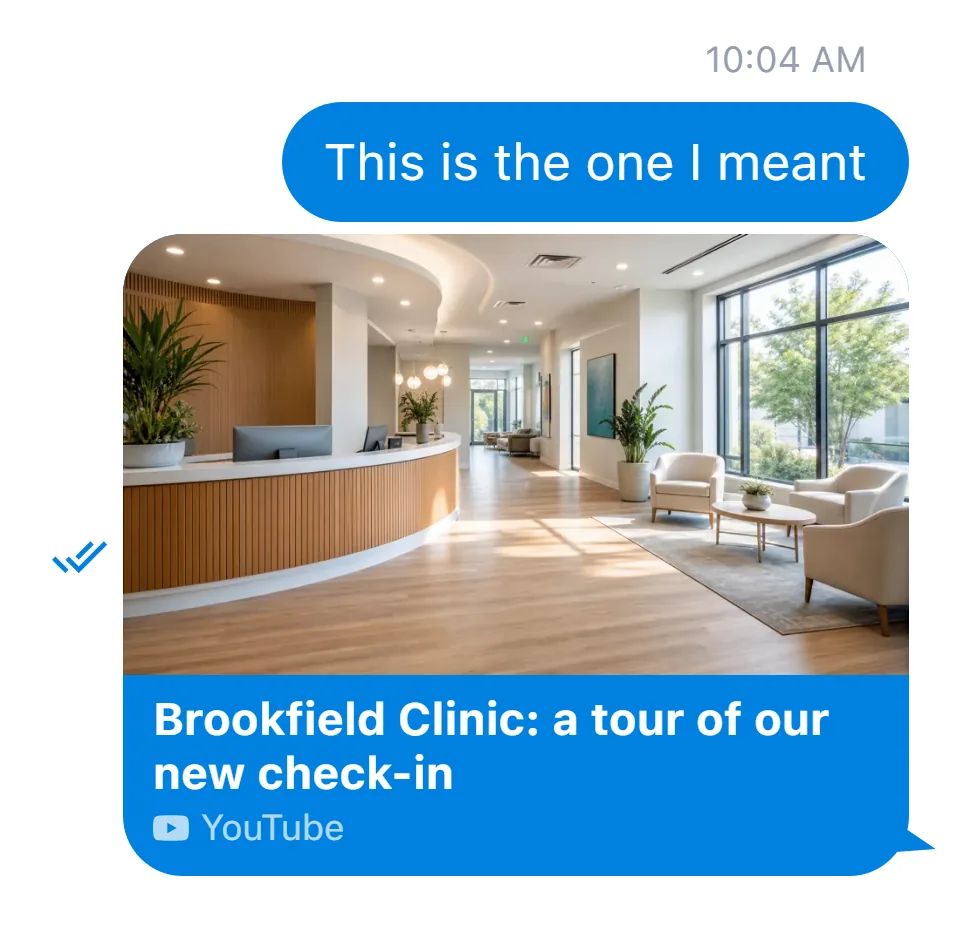
Send a YouTube, Instagram, Imgur, or X link with a few words around it, and the message shows your words with the link's card right where the link was. Every link card leads with the site's icon before its name, so you can tell a YouTube video from an Instagram post at a glance. Long-press a card, GIF, photo, video, or file that has a web address, and Copy URL is right there in the menu.
The GIF is found before it sends
Type /gif and a word, and Trillian finds the GIF before anything is sent, with the Send button turning into a spinner while it looks.
Say hello to new members
When someone joins a channel while you're in it, a line in the conversation says they've joined, with their name in it as soon as Trillian has it. It's an easy cue to say hello.
Share from other apps
Share a video from another messaging app to Trillian and it sends. If Trillian wasn't running when you shared, the chat opens right where you are, with the keyboard up and ready for a caption.
Voice clips that record every time
Every so often iOS restarts its audio system behind the scenes. Recording now picks right back up after a restart like that, so what you say is what gets sent, and clips sound clear even when you start one while another is playing.
Urgent, from end to end Enterprise

When you hold Send and choose Urgent, every photo, file, GIF, pasted picture and voice clip in that send goes out urgent too, not just the text. An urgent photo, GIF, or video sits in a red frame that carries the bubble's tail, so it reads as urgent the moment it lands.
Backup codes for two-factor sign-in Enterprise
Setting up two-factor sign-in shows your ten backup codes, with Copy and Print right under them, so you can tuck them away in case you lose your authenticator app.
On Apple Watch
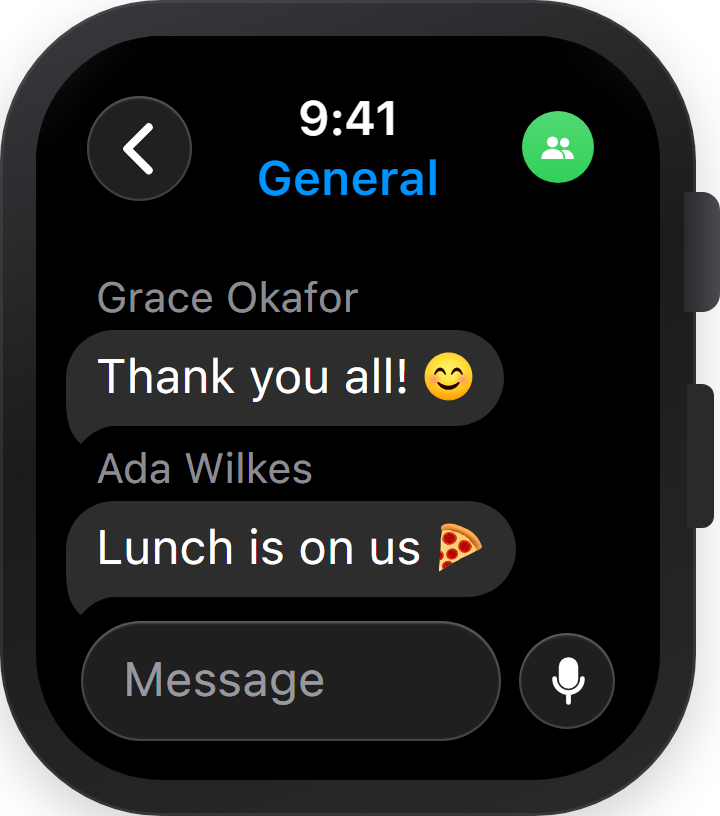
Group chats on Apple Watch show everyone by name, including people who aren't in your contacts, with each name right above its message text. An unread urgent message Enterprise shows the red urgent mark in the chat list, as it does on your phone.
Better on iPad
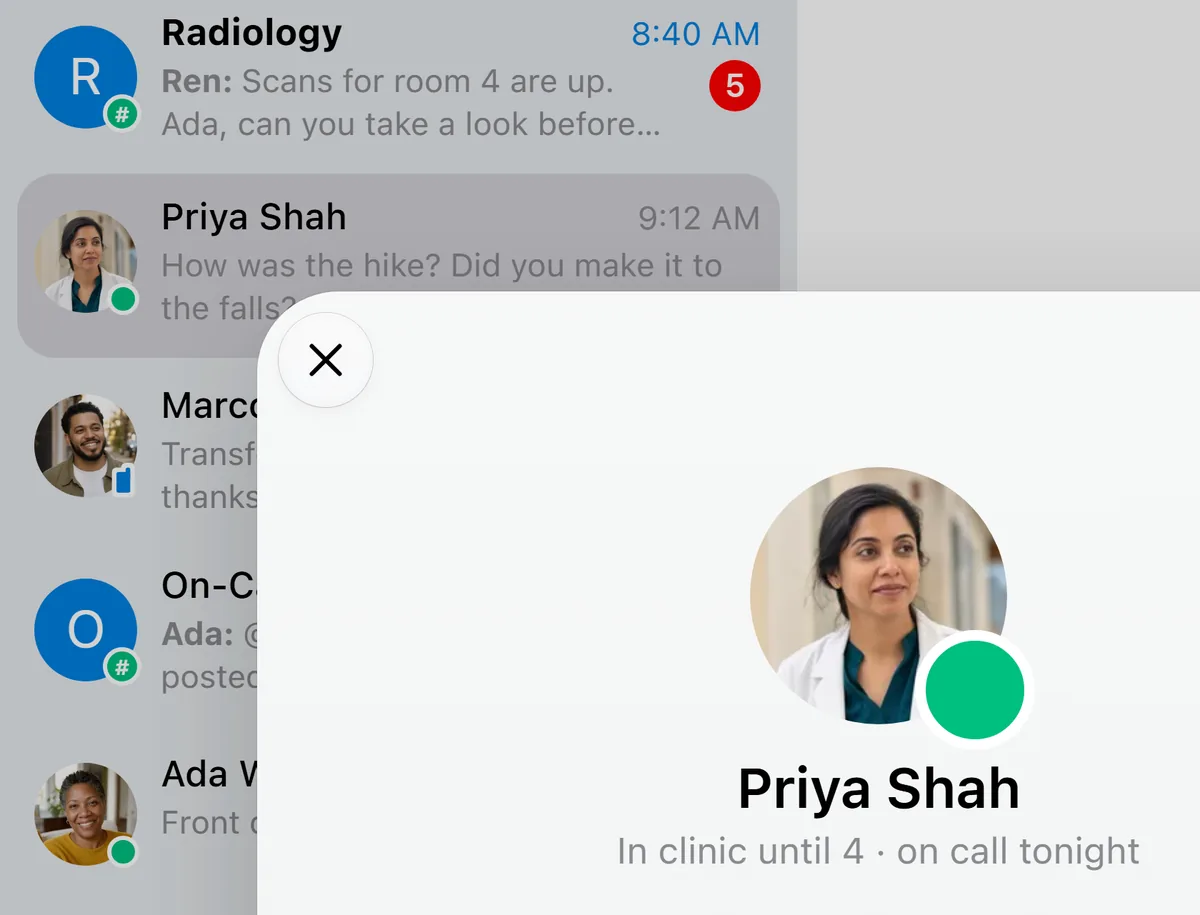
A chat's info sheet closes with an X in the upper left, like every other sheet in the app, and the chat, contact, or Settings row you've selected stands out in a darker gray. Paste works after Trillian has been in the background, and switching between Chats and Contacts leaves a chat you closed closed.
Smaller things
Large pictures you send go out at full size. Bold text and headings in a message show in bold in the chat list too. /me lines, buzzes and slash commands stand on their own instead of joining the bubbles around them. Pictures with a transparent background keep it when you send them, and the @mention list shows everyone's avatar the first time it opens.
Among the fixes, a chat you switch away from is right where you left it when you come back, and your messages turn from delivered to read the moment they're read. Your sent messages land in the right order, a message you delete before it goes out is canceled for good, and edits Pro go out right away. Capital Ö and Ä, and { and }, type correctly on German and other keyboards. If the server is down when you sign in, Trillian says "Server temporarily unavailable" right away, and in Hungarian and Romanian, Trillian addresses you formally everywhere. Every new word in the app is translated into all 13 languages.
Get the latest build
Grab it from the App Store, then send a friend a link with a few words around it.